Your AI Assistant Builder

Your own AI assistant, built around you.

It knows your work, connects to your tools, and takes the busywork off your plate. It drafts. You decide. The courses are free, but your AI Assistant Builder does almost all of the steps for you, so you get much more out of your AI automatically. It also includes inbox triage and the live workshops.

One payment. Never a subscription.

Use the same email at checkout that you use for your Kaizn account.

New here? Sign up free first. Already a member? Log in
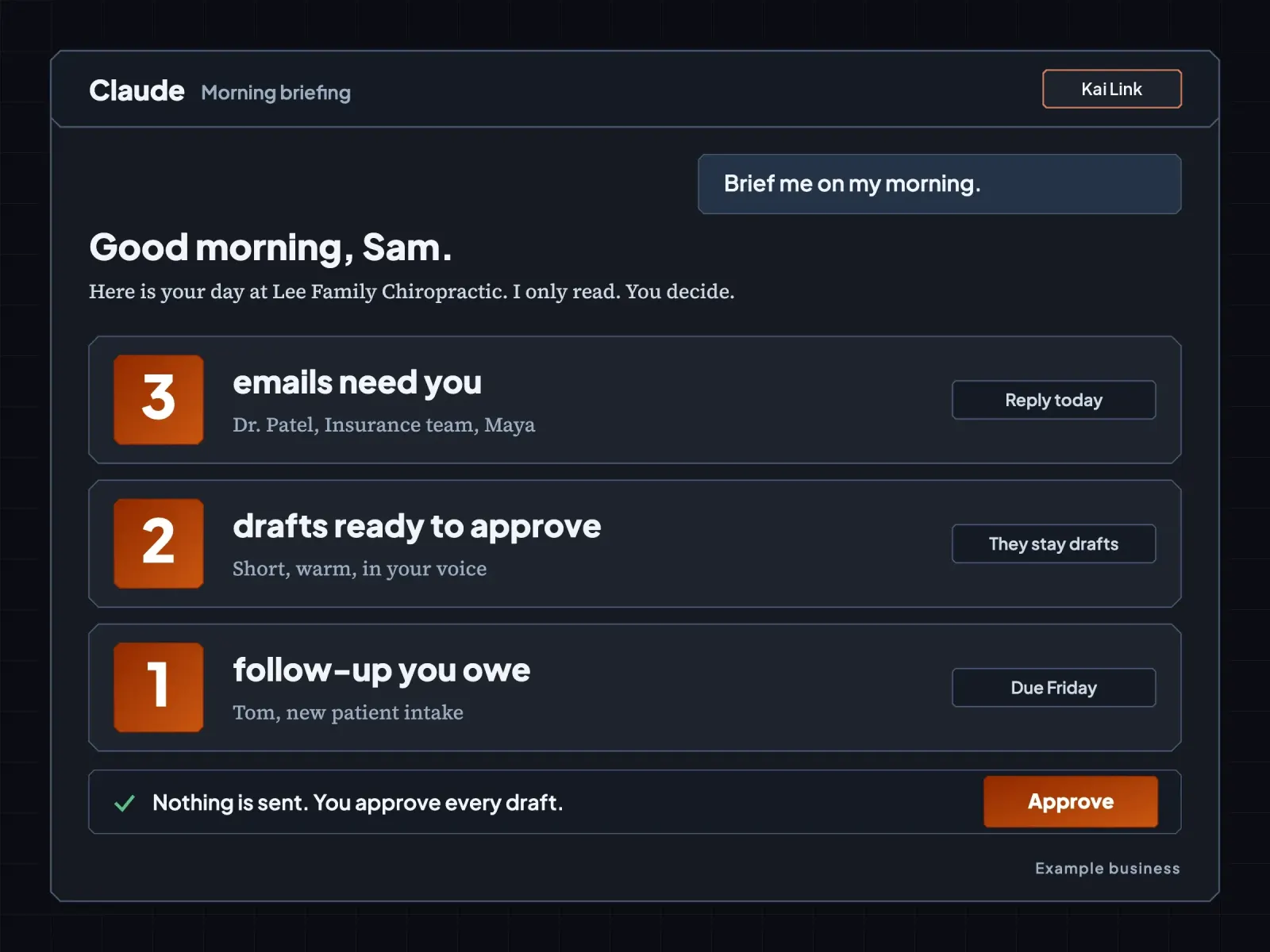
A Claude morning briefing for an example business: 3 emails need you, 2 drafts are ready to approve, 1 follow-up is owed. Nothing is sent until you approve.
Private by design

Kaizn has no way of reading your data.

Your info and contacts are encrypted with 256-bit AES and their own key.

How your privacy works
What you see

Sam Rivera
Lee Family Chiropractic
(555) 010-0142

What’s stored256-bit AES
Next live workshop

Thursday, November 19, 9 to 11 AM MST, online.

Josh Cross, Kaizn’s founder, helps everyone set up their assistant live. The live workshops come with your AI Assistant Builder.

Sound like your week?

Your inbox is a pile you never finish.

Kai, a raccoon with a green satchel, stands in a room buried in mail while more envelopes fall.Your inbox now
Kai, calm and smiling in the same room, holds up one last letter. The floor is clear and every letter sits in its own pigeonhole.Sorted for you
  • You can't remember who you owe a reply.
  • Claude gives you answers that could be for anyone.
  • You don't have time to learn one more tool.
  • Your assistant does the paperwork, so you get your evenings back.
What you get with your AI Assistant Builder

Six things that take work off your plate.

Tools and setups no one else is doing, built around you.

  1. Your own AI assistant

    It lives inside your own Claude. It drafts replies in your voice, briefs you on your inbox, and keeps its own notes up to date. You read every draft and decide, and nothing is sent for you.

  2. Kai Link

    Your guide inside Claude. It walks you through each step, keeps your place, and has no end date.

  3. Your AI Brain

    Everything your assistant knows, kept organized: your info and your contacts.

  4. Connections to your tools

    Connect your email and calendar, Gmail or Outlook, so your assistant works from your real day. The setup step checks your plan and your tools, then picks your path.

  5. Inbox triage

    Your assistant sorts your email so you only see what needs you, and drafts the replies for you to approve.

  6. The live workshops

    Join the live workshops and bring your questions about your assistant, your setup, or your next step.

Free with your dashboard account: every course in the Academy, the bonuses and the glossary. Sign-up is free. Your AI Assistant Builder is your own assistant, set up for you.

Your AI Assistant Builder, one payment

$147

Never a subscription. Your assistant runs on your own Claude plan, and we recommend Claude Pro at $20 a month.

See it working

Here is what you set up in your own Claude.

These screens come from the real steps, with made-up information for an example business.
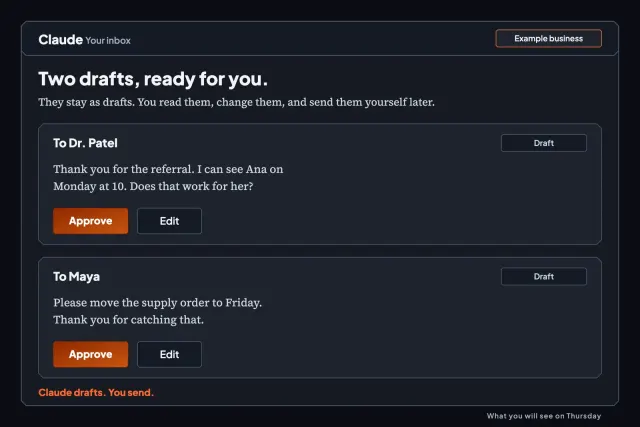
  • Two reply drafts waiting for approval, with Approve and Edit buttons. Nothing is sent. Example business.
    Your assistant

    It drafts. You decide.

    Claude writes the reply and you press send, because Claude never does.
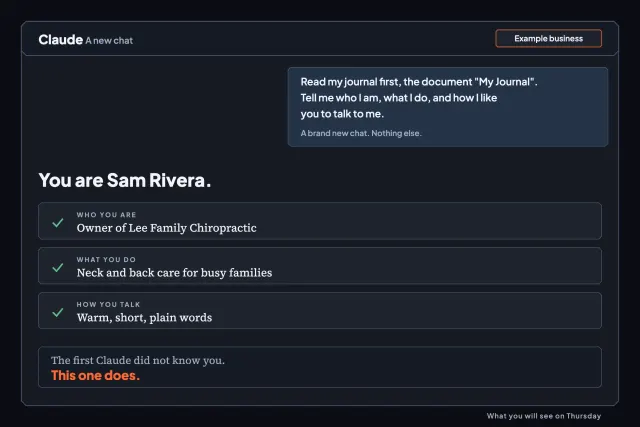
  • A brand-new Claude chat that already knows you: who you are, what you do, and how you like to talk. Example business.
    Your AI Brain

    A new chat that already knows you.

    Open a brand-new chat. It has read your notes, so you never start from zero.

  • Inbox Zero with Claude
    Free in the Academy

    Inbox Zero with Claude.

    Ten short lessons that keep the inbox clear. It is free with your account.

  • Kai Link

    Your guide through every step.

    Kai Link walks you through each step and keeps your place, so you always know what comes next.

If you can answer questions about your work, you can do this

Three simple steps.

  1. Get in.

    You get your AI Assistant Builder, and your setup opens.

  2. Connect to Kai Link.

    It's one small box, and you type two things.

  3. Build inside your own Claude.

    Kai Link walks you through it and hands you each step.
From people who have worked with Josh Cross, Kaizn’s founder

What people say after working with Josh.

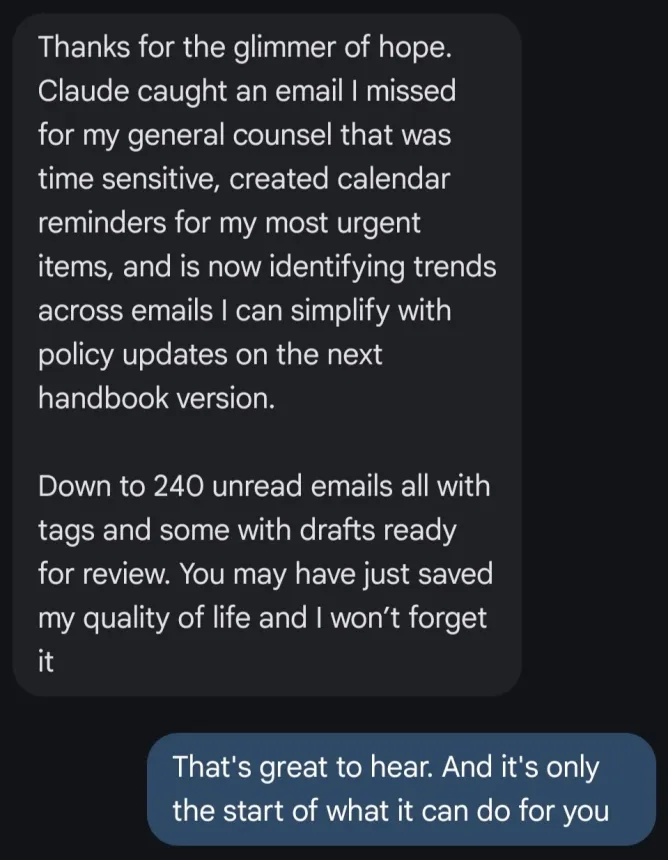
Text message from Tegan. Last sentence: You may have just saved my quality of life and I won’t forget it

You may have just saved my quality of life and I won’t forget it

TeganText message.
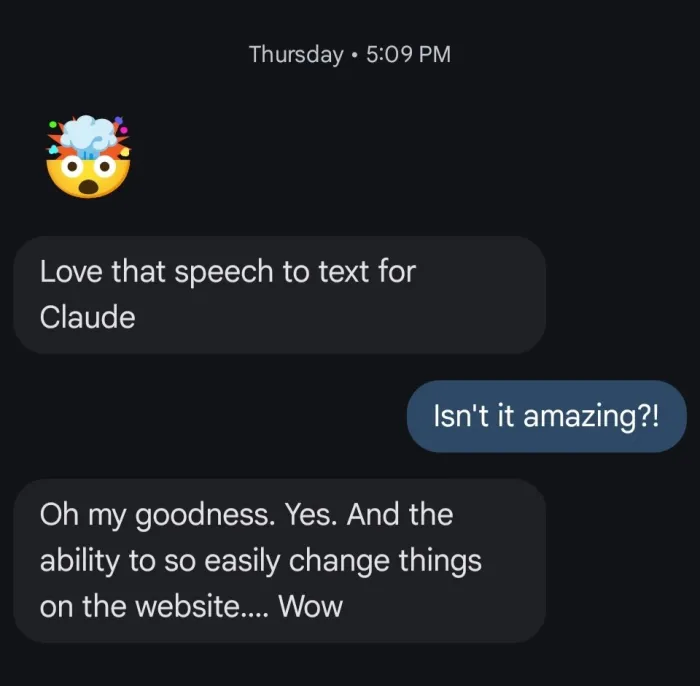
Text message from Camille. Love that speech to text for Claude. Oh my goodness. Yes. And the ability to so easily change things on the website.... Wow

And the ability to so easily change things on the website.... Wow

CamilleText message.

It’s given me a professional, fully-functioning directory without the headache, and I couldn’t be happier.

BrianaRuns her directory from her phone just by saying what she wants changed.

Josh built a website for my real estate business that clearly shows people what I do and lets me update it and track my leads just by talking with Claude.

RicardoBuy With Ricardo

Kaizn AI has completely changed the way we execute our business. I can’t recommend them enough!

AlexTrustpilot review

Josh builds with us, not for us.

StephanTrustpilot review

Working with Josh has been incredible. He’s always very on top of the ball and quick to answer any questions or fix bugs…

AlexanderTrustpilot review

I can’t express enough, how easy Josh made the process.

DanicaTrustpilot review

It knows me better than I myself even do…

AidanTrustpilot review

From this review, I'm hoping you can see he works well with people who are older and/or need extra patience in the process!

RoxyTrustpilot review

Josh Cross smiling next to a laptop showing a clean inbox, with Kai the mascot beside him.

Why I teach this

I'm Josh Cross. Teaching is the thing that gives my life purpose, and that's why I built Kaizn.

I run my own company with Kai, the AI assistant I built in Claude. I don't know anyone with an assistant that does what Kai does, and I want Kaizn to be the best AI academy in the world, with tools and setups no one else is doing.

Danica put it this way: “Whatever your AI needs, Josh and Kai can help you.” Danica

A full refund, for any reason, through December 3

For any reason, email [email protected] by December 3, and we will refund you the full amount. No call and no questions.

Questions you might have

Before you decide.

Do I pay again later?
No. Your AI Assistant Builder is one payment, and it will never be a subscription.
Do I sign up first?
Sign-up is free on your dashboard, and your AI Assistant Builder is the paid upgrade. A free account already comes with every course in the Academy, the bonuses and the glossary.
Do I pay for courses?
No. Every course in the Academy is free once you are signed in, along with the bonuses and the glossary. Your AI Assistant Builder is Kai Link, your own AI assistant, and everything set up for you.
Do I need to know how to code?
Nope. You type, or you talk.
Which Claude plan do I need, and what does it cost?
You can do this on the Free plan. We recommend a paid plan for this setup. Claude Pro costs $20 a month, or $17 a month if you pay for a year. If your email does not connect on the Free plan, you paste your emails in. If someone has to approve a paid plan, ask before you start. The setup step checks your plan first.
Gmail or Outlook?
Both work. The setup step checks which one you use and picks your steps.
My work email won't let Claude connect. Now what?
Some work accounts need your IT person to say yes. If they say no, you skip the email steps. You still get your AI Brain and your skills. The setup step shows you which path fits. If your company pays for Claude on a Team or Enterprise plan, the plan’s owner may need to add Kai Link for you first.
Is my data safe?
Your email stays between your own Claude and your email account. Kai Link never reads your inbox, calendar or files. Claude drafts, and you press send. Kai Link keeps what you ask it to save (your info, your contacts, and any notes or reminders), your progress, and a log of which tools and courses you use, so we can see how members use Kaizn. That log leaves out what you type into those tools. Kaizn has no way of reading your data. Your info and contacts are encrypted with 256-bit AES and their own key. Feedback and questions you send us, we read, so leave private details out of them.
How long do I get access, and how long does help last?
You keep Kai Link with no end date, unless you take a refund. Email help has no end date either. Email [email protected] any time, and we'll help you.
Mac, Windows, or phone?
Build on a Mac or Windows computer, because you switch between two tabs.
I'm not techy.
Good, that's who this is for. Claude does the clicking and you answer questions.
What your AI Assistant Builder includes

Get your own AI assistant.

  • Your own AI assistant, set up around you with Kai Link
  • Your AI Brain
  • Connections to your tools
  • Inbox triage that sorts your email
  • Access to the live workshops

Tools and setups no one else gives you. One payment. Never a subscription.

Already a member? Log in

Questions? Email [email protected] any time, and we'll answer.

Your AI Assistant BuilderGet Your AI Assistant Builder